
| HOW TO CONTINUE (first aid) | Language:  Blouma |  English |  Czech |

 room 011/ right button
/page
 1/9
back to the first page

START
INTRO
GET READY
ROOM 000
ROOM 001
ROOM 002
ROOM 010
ROOM 011
ROOM 012
ROOM 020
ROOM 021
ROOM 022
PART TWO

BACKSTAGE

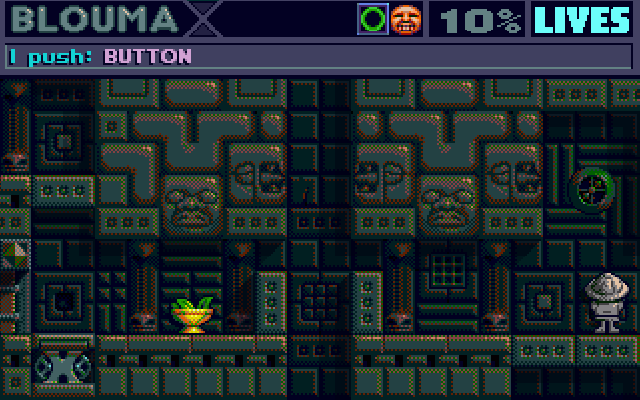
continued from <<< ROOM 012
Press the button on the right side of the screen (ARROW UP key, then the CTRL key).
This switches the neighboring button on the left to the visible position (OFF) and fully extends the neighboring platform on the left.
page 01 / overview of the state
page 02 / upper left button
page 03 / right button
page 04 / lower left button
page 05 / wooden door
page 06 / left lift up
page 07 / upper left button
page 08 / left lift down
page 09 / exit to the left
page 10 / right button
page 11 / safe box
page 12 / button next to the button
page 13 / bowl
page 14 / lower left button
page 15 / right button
page 16 / right button
page 17 / button next to the button
the chapter continues on the next pages